
Step 1: After logging into your account, go to https://research.baps.org/courses/my-account/edit-password/
પગલું 1: આપના એકાઉન્ટમાં લોગ-ઇન કર્યા પછી નીચે આપેલ લિંક પર ક્લિક કરો, https://research.baps.org/courses/my-account/edit-password/
Step 2: Enter your current password.
પગલું 2: આપનો હાલનો પાસવર્ડ દાખલ કરો.
Step 3: Enter your new password and submit.
પગલું 3: આપનો નવો પાસવર્ડ દાખલ કરો અને સબમિટ કરો.
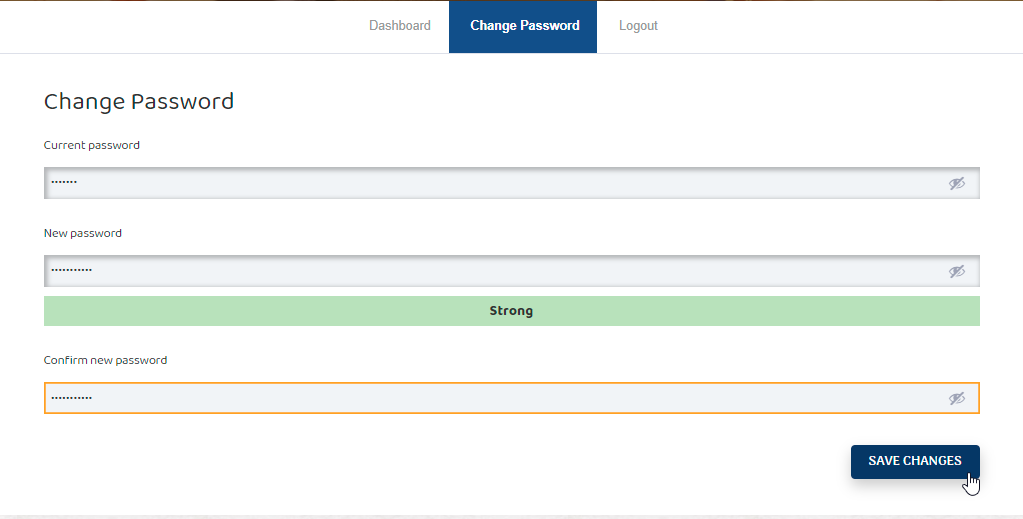
Step 4: You will receive a confirmation email to confirm that your password has been changed.
પગલું 4: પાસવર્ડ બદલાયાની માહિતી આપતો ઇ-મેઇલ આપને ખાતરી માટે પ્રાપ્ત થશે.